 |
| Hello Full Stackers! There's a new frontier in AI: implementation for entire teams. AI productivity gains have a natural limit. At some point, you can't move faster than your team. Even if you have the perfect setup (you can query any doc from one place, you've wired up MCP integrations, every workflow has a slash command) you'll still get blocked. Your teammate can't find the call notes you automated. You move at 10x speed but every handoff is still a 30-minute "let me catch you up" call. Everyone is catching on to this at the same time: |
|
| I just did a full free 1-hour workshop on this with Product Faculty on how to build Team OS: a shared place where your team's knowledge, workflows, and automations live so Claude reads from it whenever anyone works. I wanted to share my teachings with you all. Below are the recording, tips, and tactics for getting this started at your company. I'm also doing a paid workshop this Sunday with Hannah Stulberg (PM at DoorDash, who is building this out at her company right now) that goes into much more detail on the specific tactics of implementation: |
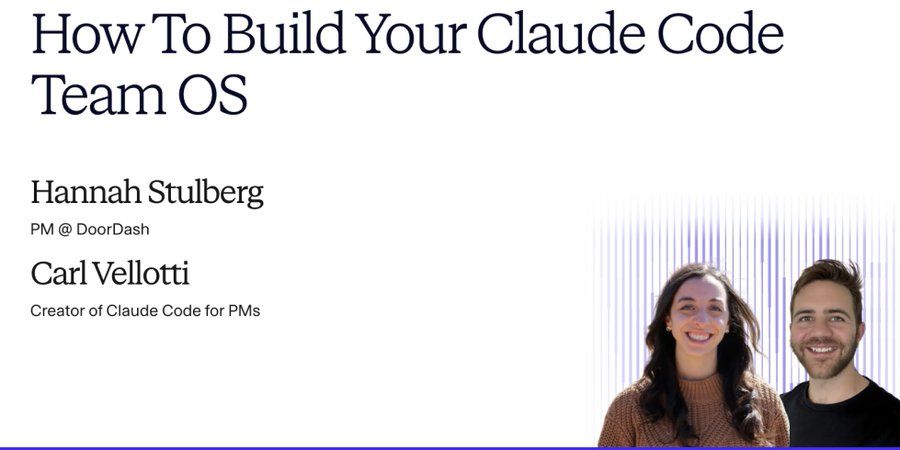 |
| Sunday May 10 · 10am PT / 1pm ET / 7pm CET · $200 · Recording included
|
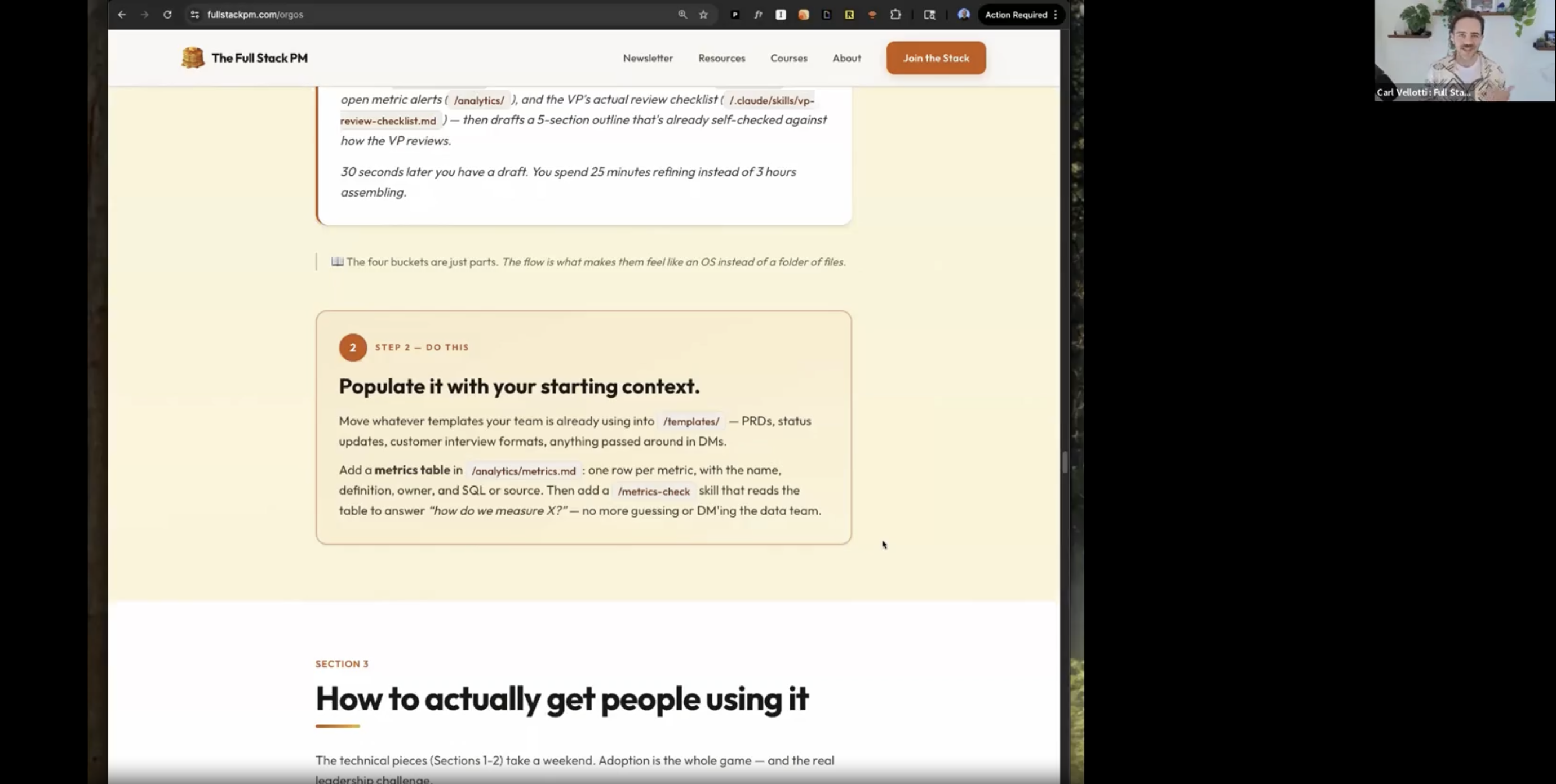
| Now let's get into it. This is the best of what I covered in my Product Faculty session. Here's the recording and companion page: |
 |
| Also a rare opportunity to see me with a mustache 🥸 |
|
| Here it is for reading rather than watching. |
The first question everyone asks is "what goes in the repo?" and the answer is simpler than people think. There are four buckets: Context is the data Claude reads. User research, metric definitions, playbooks, templates. The stuff that currently lives in six different Google Docs that nobody can find. When a new PM asks "what format do we use for customer interview notes?" the answer becomes copy from the repo, look in /templates/. Not whatever happens to come up when they search Google Drive. Actions are things Claude does. Skills (slash commands like Behavior is how Claude should act. File naming conventions, prioritization standards, review checklists. Some are advisory (Claude reads them and follows along). Some are enforced (hooks that actually block bad patterns before they land). Connections are what the system plugs into. Slack, GitHub, your data warehouse via MCP. Plus scheduled jobs like weekly customer digests and metric alerts. This is where the OS starts working for the team instead of just answering questions. The key insight is that these all work together. For example, a |
You don't need a month. The foundation takes an afternoon. Step 1: Create a private To make this easier, I built two repos you can use as a starting point: |
|
| Step 2: Populate it with starting context. Move whatever templates your team already uses into Step 3: Get your first two people using it. This is the hard part, and it's where most attempts stall. More on this in a second, because there are two specific moves that work. Step 4: Establish shareability standards. Use the Step 5: Make it visible. Create a #team-os Slack channel and add a weekly summary skill that posts what changed. The system has to be visible or people forget it exists. |
This is the section I get the most questions about, so I'm going to go deep on it. Do not mandate adoption. "From now on, everyone uses the team OS" = compliance without buy-in = quiet resentment = the thing dies in two months. You also need to make sure it's good and is really serving the team first. Instead, you need two people. One above you, one beside you. Move 1: The Manager Prompt This is for the VP or director who reviews everyone's work but isn't going to learn Claude Code anytime soon. You send them a prompt they paste into ChatGPT or claude.ai. Here's the exact prompt to send them: |
|
| They run it, get a structured doc back. You convert that into a shareable
Move 2: The Peer Champion Pick one specific peer whose work overlaps yours. Find the task they do every week and groan about. Status updates, competitive scans, customer call summaries, weekly metric reviews. Build a skill that helps them solve that problem. Then sit down with them and run it on their actual data. Don't argue about Claude Code or pitch the vision. Just show them the time savings on something they personally care about. The entire objection-handling playbook is four words: "Let me show you." |
This is where most shared knowledge systems die. They launch great, accumulate stuff for a few months, and then quietly become the thing nobody trusts because half of it is stale. I've seen it happen with Confluence, Notion, wikis. All of them. Three rules that prevent this: 1. Everything has a named owner. Not a team. A person. Sarah owns /customer-call-summary. Marcus owns /analytics/metrics/. If someone leaves, transfer ownership the same week. This is the single thing that predicts whether a Team OS survives a year. 2. Coach, don't gatekeep. When someone submits a skill with an API key hardcoded in it, don't reject it. Help them clean it up. The job is making contribution low-friction. Friction kills shared resources faster than anything else. 3. Quarterly prune. Take 30 minutes every quarter, and for each thing in the repo: still used? Still has an owner? Still works? Anything no = delete or deprecate. A repo with 12 things that all work is infinitely more useful than one with 30 where 18 are stale.
|
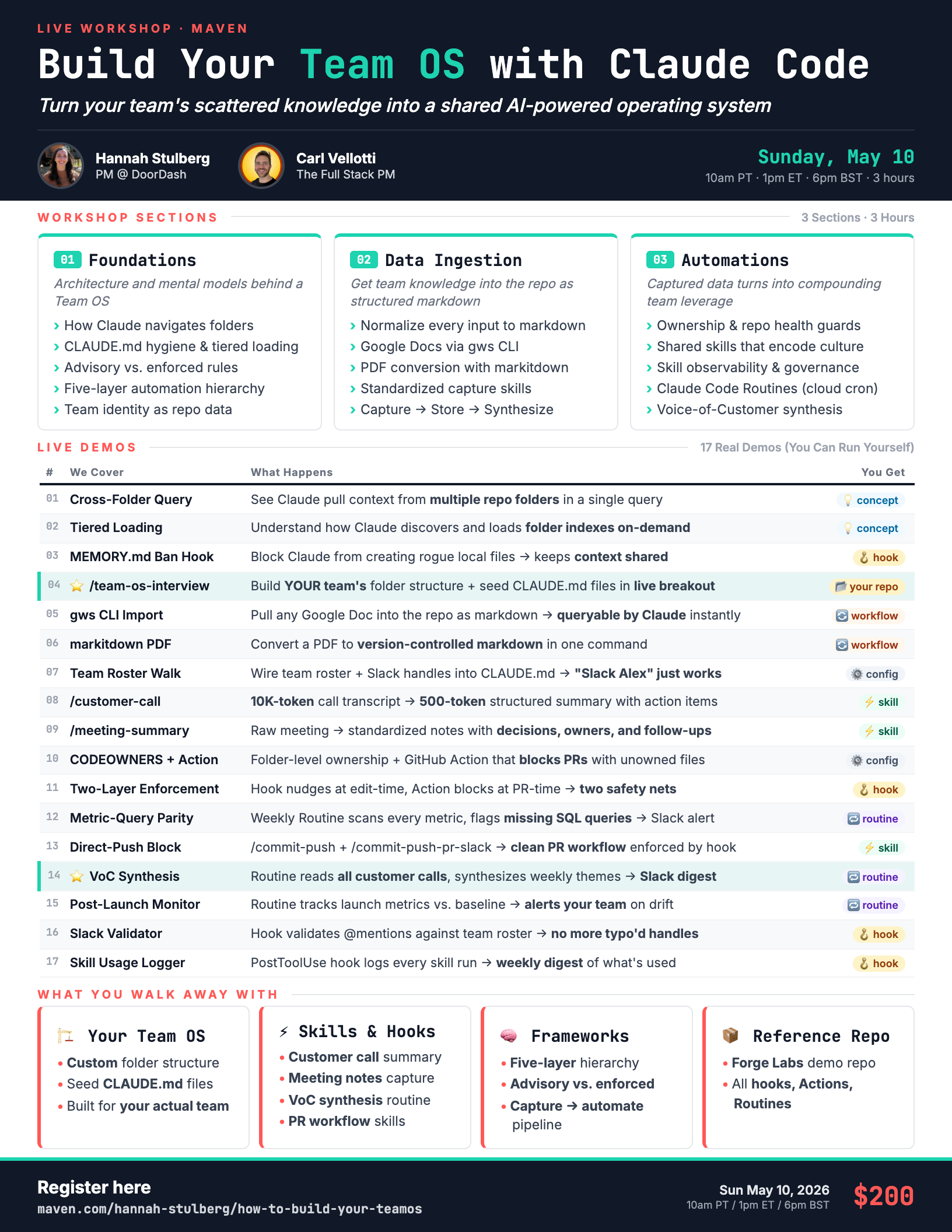
| That's the playbook. If you want to go from reading about this to actually building it, that's what this Sunday is for. I'm co-teaching a 3-hour hands-on workshop with Hannah Stulberg (PM at DoorDash) who is building a Team OS at her company right now. We'll cover 17 real demos and have a live breakout where you scaffold your own Team OS, and a full reference repo you take home. Here's the full syllabus: |
 |
This is the thing I'm most excited about in AI right now. The individual gains were the warmup. The team-level compounding is where it gets even more fun. See you Sunday. Carl 🥞 |